Zero-friction timeboxing

Plan in one line. Start on time.

Write what matters, choose when, and let Boxday remind you. No complicated planning system required.

Boxday Today screen showing time boxes arranged along a daily timeline

One line, then go

Less setup. Start on time.

Plan only what you need, then let Boxday keep the moment to begin within reach.

01

See today clearly

Keep today’s time boxes in order and focus on what comes next.
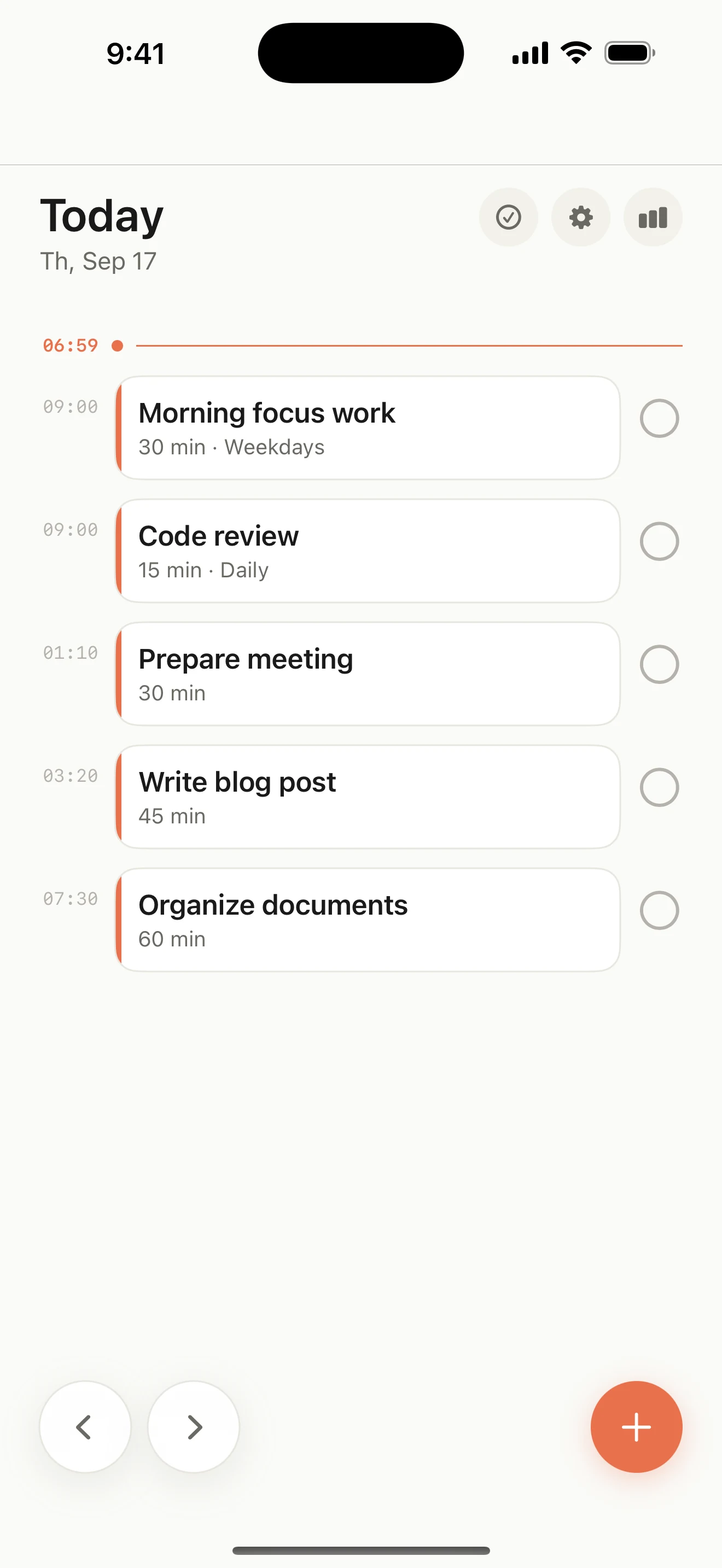
Boxday Today timeline with scheduled time boxes
02

Plan in one line

Add a title, start time, and duration. That is all it takes.
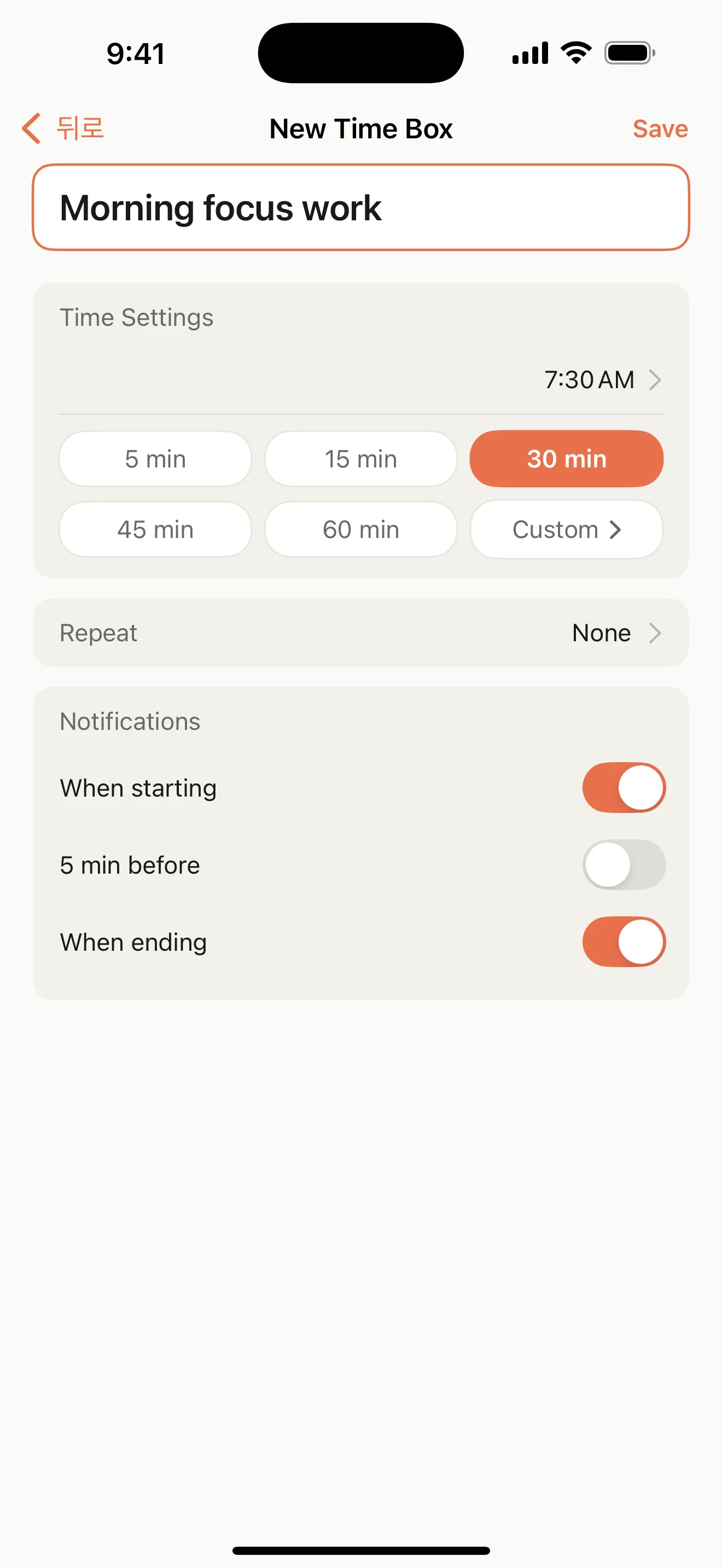
New time box editor with a title, start time, duration, repeat, and reminder controls
03

Let reminders do the rest

Choose start, five-minute, and end reminders that fit your day.
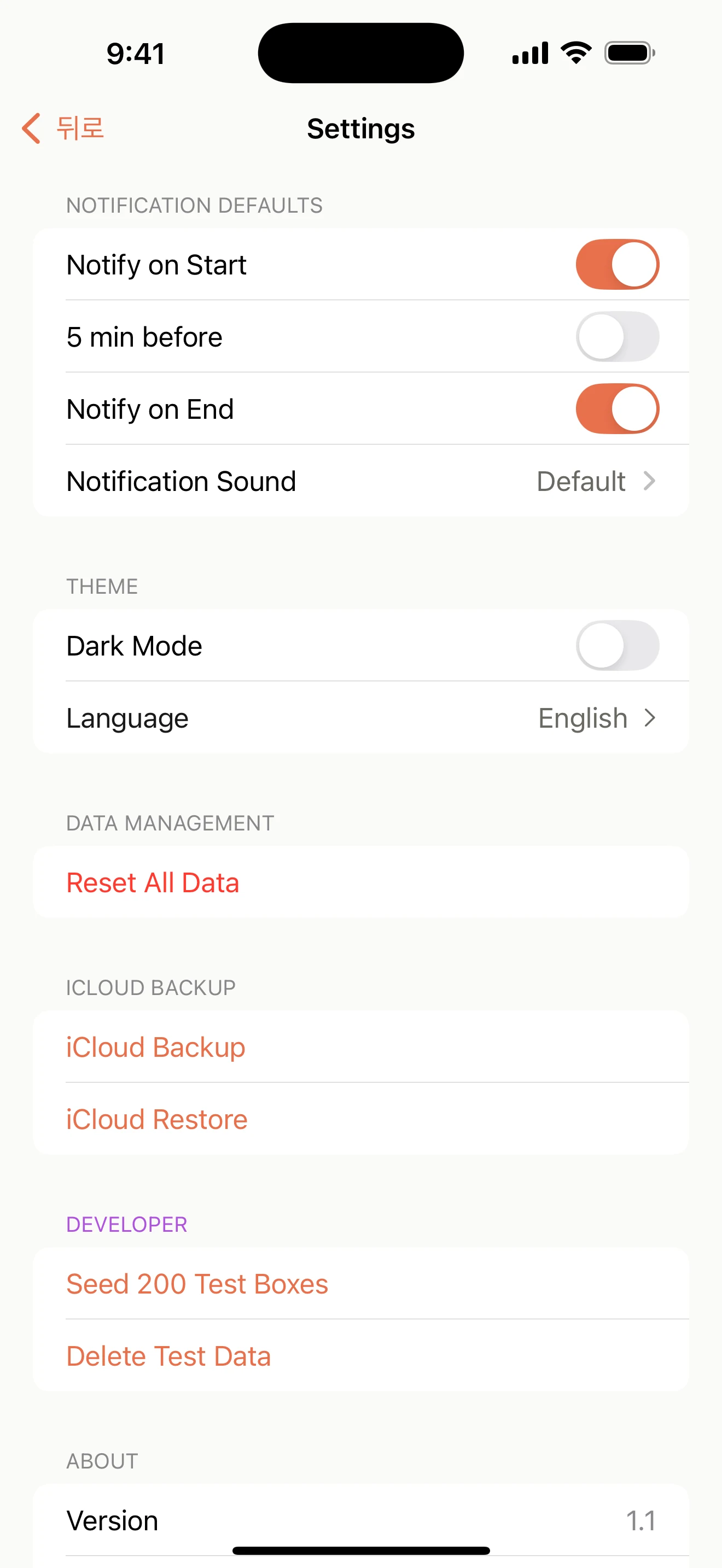
Boxday settings for start, five-minute, and end reminder defaults
04

See your focus

Look back at this week’s focus and completion patterns at a glance.
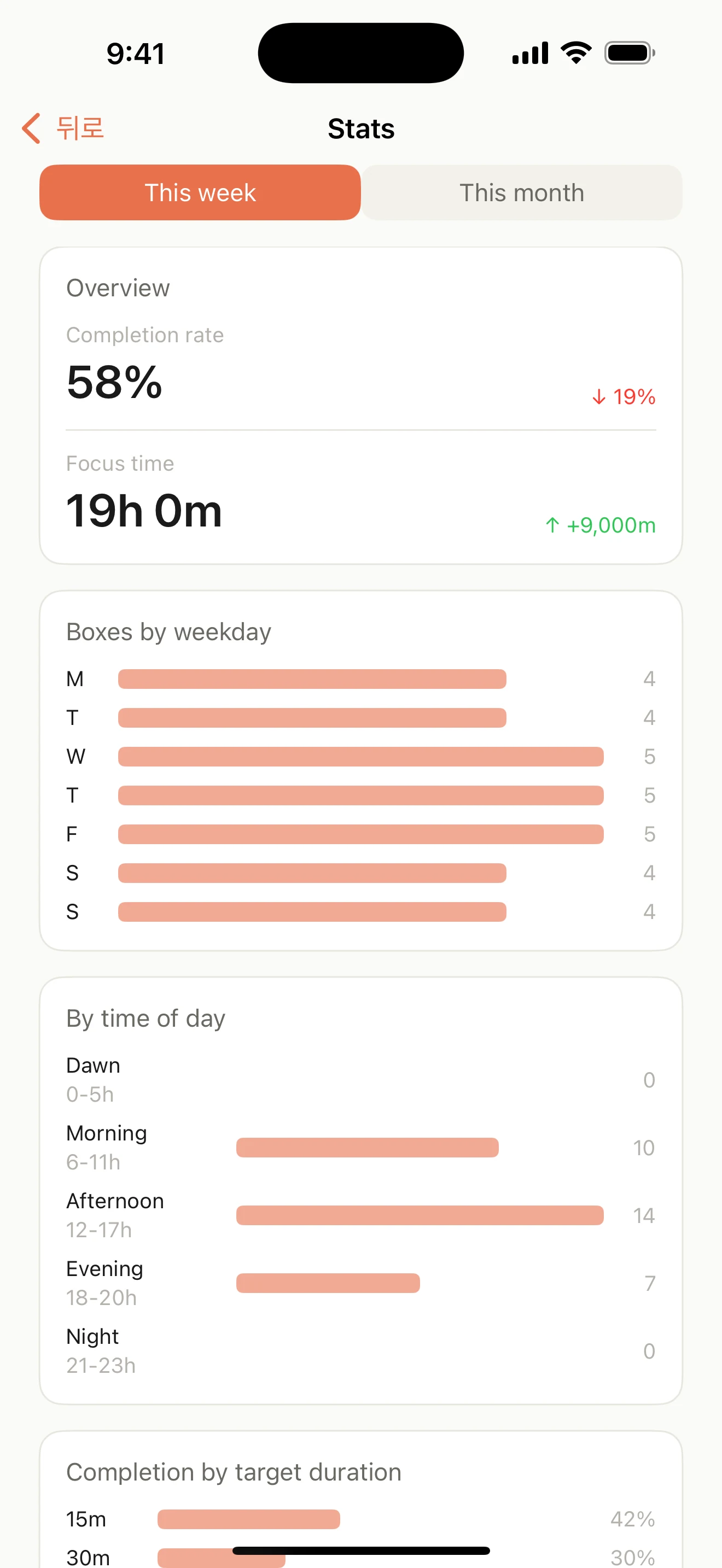
Boxday weekly statistics showing focus time and completion patterns

Designed for trust

Your time stays yours.

On your iPhoneYour time boxes are stored on your device.
Right on timeStandard local notifications mark the moments you choose.
Backup when you chooseOptional backups live in your personal iCloud Drive.